Showing posts with label Read Report. Show all posts

Tuesday, February 28, 2017

The Read Report Enters 2017

I need to do a post on my experience at CATE, but I'm determined to get caught up on these articles.

It was interesting how so many articles I had saved just didn't seem to interest me anymore the way they did when I first read them.  I eliminated a lot as I browsed through them and ended up done with 2016, so all I  have left is 2017, so I'm only a month (or two) behind now.
source: wikimedia
Through a guest post on Cult of Pedagogy, Krista Taylor talked about Voluntary Piloting instead of PD.  It reads much more like graduate studies work than a blog post but was an interesting concept.  I don't think anyone likes mandatory PD, especially when it ends up being something you already know/do, or not really something that you could implement right away.  I don't think my principal would even have the authority to okay some of the stuff that she talked about in the post (giving continuing ed credit), but I liked the idea of a group of teachers piloting something and sort of creating a structured support group.  I feel that would have been beneficial for those of us piloting Actively Learn on our campus.


I've been working and figuring out ways to incorporate blogging in my classroom since last year, so a post by Jacqui over at Ask a Tech Teacher about Why and How Students Can Blog caught my attention.  She talked about how students can collaborate by commenting (something my students have to do) and co-writing (not something my students do).  Designing a profile was also discussed.  This one I'm not sure I'm on board with.  I don't even let me students use their full names on their blogs and ask them to make sure they are unlisted. Privacy and protection and all that.  That segues right into their digital footprint.  Having them reach out beyond their own classmates and trusted others scares me a little.  Maybe next year, and maybe with parent permission slips.  She talked about many other things, but the last one I want to touch on is reflection.  It's one of the reasons I blog, and it's one of the main reasons I have the student's blog.  Writing down your thoughts, regardless of if you have a prompt to answer or not, is really helpful in a multitude of ways.  I know that blogging about the things I do in class, help me analyze what does and does not work.  I have the students do the same with their Passion Project portion of their blogs.

Again, back to Cult of Pedagogy and a post by Jennifer Gonzalez on 6 Ed Tech Tools to try this year.  The 6 tools are Nearpod, Planboard, Slack, Peergrade, Newsela, and Sketchboard.  I've used Slack before (though not with my students) and am thinking of maybe using it next year to sort of create a community help board for my classes.  I signed up for Peergrade, but in the crazy that this past month has been completely forgot to try it out with my students and their Chinese Culture Research Projects.  I like to try most things out with my more dependable and easier to manage 10th grade honors students, so maybe I'll give it a try with the next essay.  I have a Newsela account but never use it.  I might use it to print up lower Lexile articles for my EL students the next time I need an Article of the Week.

source: wikimedia

I tried the Passion Project out for the first time last year with BOTH of my preps.  This year my version of the 20% Time/Genius Hour is only with my 10th-grade honors.  A post over at A Meaningful Mess about 5 Ways to Find a Student's Passion definitely caught my eye.  I agree with Andi McNair that having a conversation with students is an excellent way to help them figure out what they are passionate about.  How to turn that passion into a project with a learning goal...is something else entirely.  Observation was the next way, and that is something that I can do in class more than out of it because I don't see them too often outside of my classroom (there is no recess in high school). She then talked about something that I want to remember to try next year, which is Thrively. Apparently, there is a strength assessment that students can take to help them find what they want to learn about.  The penultimate way was DIY.org.  It will help students learn by doing.  The last one was outside experts.  This is one that so many 20Timers talk about, but not one that I think I could really pull off with equity.  Our district is a Title 1 district with lots of areas of crime and violence.  My school would have a leg up because it's in a better part of town, but it would still be difficult to connect these students with mentors.

Continuing with another post by Andi McNair, she posted: Don't Assume, Ask!  This is critical I think not only of teachers to students but students to teachers.  But, as the adult, the ownership lies with us.  I need to get better and have been working on it, about just assuming that my students (especially those 11th-graders) are just lazy and ask them why they didn't do their work.  She also talks about not assuming things about administrators and their decisions either.  That one is a little trickier for me, but I do tend to be the one that will step forward and address an issue (elephants don't belong in the room).

Saturday, February 18, 2017

The Read Report Lives: the trilogy


Shall we make this journey to get caught up on all my saved Feedly posts a trilogy?  It will probably be more.

We reach the "summer" months with a post by Jacqui over at Ask A Tech Teacher.  Jacqui writes about the 7 Must-have Tools for Ed Conferences.  Now, I love Ed Conferences.  I'm at one right now (CATE).


  • Her first suggestion is a navigation app on your phone.  She suggests WAZE, and I agree, but I would also have a backup like Google Maps.  Depending on the conference, you may need to travel around the city to find your sessions, let alone if you are driving to the conference itself.
  • Her second is to download the conference app if they have one.  I've been to a few conferences that don't have a Sched, and it drives me crazy trying to decide and keep track of possible sessions to attend.  Here is a little personal tip when going to conferences and dealing with the schedule:  Choose multiple options for each session so that if one turns out to be a dud or full, you can go right to another choice instead of searching through the schedule to find something else.
  • Next?  Don't paper and pencil it.  Bring tech that is easily transportable.  My first year at CUE, I brought my laptop for use in the hotel room and my iPad for the sessions.  I no longer bring my iPad and instead bring my Chromebook and only my Chromebook.  If I charge it overnight, I don't (usually) need to charge it during the day.  It's light-weight, and taking notes on a keyboard is easier for me than trying to do it on my iPad.  I have my phone for anything that needs a QR code, but now I won't even need that thanks to different Chrome extensions.
  • Note taking.  Jacqui talks about Evernote and Notability, but I tend to create a shared notes document with my Technology Committee or anyone else that is attending the conference, so we can all add to our resources (and sometimes divide and conquer the sessions).  Nothing works better than Google Docs for that.  In the past, I would create a table of contents, but now I just use the heading functions and the outline tool.
  • Messaging App.  You're basically going to need Twitter.  Most conferences have hashtags that you can use to share and converse about what is happening.  I use Tweet Deck so I can have multiple columns of hashtags open.
  • QR Reader.  Numerous apps you can download for this.
  • Digital Scanner.  She talks about using it for business cards.  I've never used it for that, but I have used it for making copies of receipts for reimbursement.  I use the app Tiny Scanner, on my iPhone.


Heading backward into March, Alice Chen wrote about how sharing on social media helped her become a better educator.  I'm nowhere near as a prolific tweeter and she certainly has more blog cred than I do, but I do agree with her.  Blogging, however sporadic I may be with it, forces me to reflect on what is going on in my teaching.  While I know that some people do read these blog posts, they don't seem to spark conversations (yet?).  As I've gotten more active on Twitter, I find myself building a more robust PLN and creating conversations.  The trick with Twitter is finding the right hashtags so people see what you have to say.

Jumping back to May, and another post by Jacqui, we have a post about using the SAMR Model to direct your technology integration.  I definitely agree with much of what she wrote about.  Her suggestions remind me a little of Catlin Tucker's suggestion about (and I paraphrase) learning to use one tool really well before adding other tools to your box (and then use the ones that you like the best/most in your tool belt).  We have Federal Program Monitoring this year and in our mock assessment, one of the evaluators mentioned how there was a lot of substitution going on by teachers.  Well, of course, there is.  We've only had 1:1 for one grade level for a year.  It is going to take time for many of the more veteran teachers to integrate tech in the classroom beyond what they do on the whiteboard.

I'll stop there.  For today at least.  If you have any blogs that you follow, let me know.  I would love to add them to my Feedly.

Tuesday, February 14, 2017

The Read Report Lives (Part 2)

Continuing on in trying to catch up and be a better blogger, here are a few more articles from my Feedly and my thoughts on them.
Screenshot from Google Classroom
Screenshot

Back in April 2016, Google's Education Blog talked about 4 Ways to Use Polling in Google Classroom.  If you use the Question function on Google Classroom (GC), and choose multiple choice instead of short answer, you can create a way to poll your students without creating a Google Form.  I had forgotten about this since I don't tend to use the question function and instead use Verso for online discussions.  But, I've already set one up for next week to help my 11th graders, who are doing a very big research paper, self-monitor their progress.  The blog also mentioned it's a good way to get student feedback, for exit tickets, and to guide student discussions.


At the end of the same mother, Sylvia Duckworth from EdTechTeam, talked about taking her knowledge of (what was then) GAFE for granted and what she did to make sure to pass the Google Level 2 exam.  She offered 3 Tips to Rock the Google Level 2 EDU Certification.  I'm sure I kept this because it was my plan over the summer to get my Level 2 Certification, but that didn't pan out.  Then my district offered Level 1 Certification courses, but I already had mine and so I asked if Level 2 would be offered.  They said it would be, and it was, but the class in December got cancelled.  It is now in May.  I've gone and checked out some of the training modules, but I haven't had the time to really look at them or the resources our Program Specialist put together.  Maybe I can get some of that done during Spring Break in April (Ha. Then I would have come full circle).  One thing I have done when looking at the modules is I go straight to the Review Quizzes and see what I don't actually know and then study that instead of reading over information that I've already figure out on my own in my usage of the G Suite products.


In May, Jennifer Gonzlez at the Cult of Pedagogy posted (and podcasted) about ways to make better use of Twitter.  She talks about finding your tribe, having conversations, sharing, participating in Twitter chats (mine is #caedchat - though I need to get more involved with it), do research, and communicate with students and parents.  Now, I have my personal twitter, which I use for the first 5 things Jennifer mentions, but I created a school twitter for my students/parents.  I don't get much traction out of the latter, but then again, most of the kids seemed to have moved to SnapChat.

In that same month, Valencia Clay over at Edutopia posted about Intrinsic Motivation vs. Standardized Tests. I think, at the time, I was interested because I had been working on my action research project with my two partners, and a large part of it involved extrinsic and intrinsic motivation.  She'd used a lot from the work of Daniel Pink and his book, Drive (which you should read), but one thing in her article really caught my attention.  One of the questions she says we should have students explore is "How will achieving well on this exam impact me a year from now, five years from now, ten years from now? Now, I'm admittedly biased against any high-stakes standardized testing and think there is too much of it.  I also think there is too much no-little-stakes standardized testing (my 10th graders take 5-6 a year). But, some of these standardized tests can impact a student.  Our 11th-grade students take the SBAC and have the EAP questions attached to it.  That can impact them because - depending on how well they do on the mixture of questions (SBAC and EAP) - it determines whether or not they need to take ERWC or any remedial English or Math courses in college (it essentially replaces placement tests).

I think that's a good plethora for now.  Next time, we'll cover the month of June and maybe more.

Thursday, February 9, 2017

The Read Report Lives

Since the new semester has begun and both my preps are working on research papers, I have a little more time to be a better blogger.  It will, of course, catch back up to me when these papers are due.

I haven't done a Read Report in a really long time (about a year), but I have been checking up on my Feedly and saving posts.

This will be a nice way to refresh my memory about things.

Going all the way back to October of 2015, Jennifer Gonzales, gave her Big List of Class Discussion Strategies.  She breaks them down by high-prep, low-prep, and ongoing strategies.  Of the high-prep strategies mentioned, my favorite and the one that has basically replaced my attempts at Socratic Seminars is Philosophical Chairs.  I haven't done one in a while, but I plan to do so soon with the anticipation guide for The Joy Luck Club.  I find that anticipation guides are good ways to incorporate Philosophical Chairs.  I usually give them a "worksheet" where they can mark where they stand on a big idea or theme from the novel.  I also usually have them write down why they agree/disagree.  Then, usually the next day, we move about the room and defend our positions, seeing if we can persuade others with our analysis to move on over to our side.

Jacqui Murray also wrote in October of 2015.  Her post was about Let[ting] Student Learn from Failure.  I think this one caught my eye way back when because I completely agree that it is necessary.  I tell my kids all the time that we learn best from our mistakes, but that doesn't seem to deter their fear of failure.  She suggests many things in the post, but the two that stood out to me were her comments on the "Mulligan Rule" and letting students see you fail.  Now, the former is something I offer, but probably not explicitly enough since no one ever takes me up on it.  So, I need to find a way to make it clear that students can resubmit essays or projects to make them better.  The latter is something my students see me do all the time.  It usually appears in the typos of the work I present to them, but it can run the gamut all the way up to a lesson that just totally bombs.

Again back in October 2015, my friend Crystal Kirch talked about the TeachMeet she did with her colleagues.  They "had three 2-minute sessions of teachers sharing something awesome they do in their classes with technology followed by 1-minute of reflection and debriefing with colleagues."  So, each session was probably around 5 minutes, for a total of 15.  I would love to do this with my staff.  I think I'm going to take it to my tech committee and see what they think before I go to the admin to ask for time.

Another Jacqui Murray post (still 2015, but I've moved on up to November at least), talk about what she thinks are the 5 Best Typing Tutors.  The ability to type on a normal keyboard, rather than one on a smart phone, is a skill that is severly lacking in many students.  I honestly feel that we need to bring back some technology course that many schools and districts have done away with.  These skills are especially pertinent with the onslaught of 1:1 programs.

We finally jettison into 206 (February) with a post from EdTechTeam about Google's Revision History.  I love this tool, not only for fixing my own mistakes, but to catch kids who I suspect of plaigarizing their work from another student.  If things go into a document in one fell swoop with minimal entries in the revision history, it stinks of copy and paste.

Going back a month with a post from Jennifer Scott about Living in the Learing Moment.  She talks about when to sit and give synchronous feedback to students and when we roam around the room.  This is something that I think I will always struggle with, but am better at than I was when I started my blended-learning endeavors.  I think if I can get my workload down, I could feel more able to roam around the room than I already am.  I use many different "formulas" to keep myself out on the floor with my students.  Somethings I do the half-and-half:  5 minutes at my desk and then 5 minutes on the floor.  Other times, especially if I'm grading, I do the quota:  After every X number of assignments, I'll get up and roam around the room.

I think I'll leave it there for now.  Maybe in a day or two I can work on getting all caught up.

Saturday, February 6, 2016

Read Report Beginning of February 2016

Going through the voluminous blog and article posts filling up my neglected Feedly, these are the ed tech ones that I felt were worth sharing.

Jennifer Gonzales over at Cult of Pedagogy blogged about 6 Ed Tech Tools to Try in 2016.

She mentioned some that were unsurprising, like Formative.  I really want to look more into this one, but with everything on my plate the thought is a little too daunting for this school year.

One I'm going to try for sure, in fact right now, is Noisli.  Noisli is a white noise app.  Currently, I've just added a crackling fire to listen to since I have the sounds of rain from an actual storm outside.  It's making me feel just a bit more toasty.  I can see playing this is class to help students focus, or allowing students to listen to it instead of music they spend too much time picking in order to help them focus and be productive.

Another that sparked my interest was Write About.  Jennifer writes that Write about "provid[es] students with an online space to write on high-interest topics and get feedback from their peers".  The other things she mentions, like a collection of writing ideas and voice recordings, intrigue me.  But --yup, I have a but--the free version only allows for 40 students.  This is something that as a teacher in a secondary (junior high and high school) classroom frustrates me with many programs out there for teacher-to-student use.  Why do only elementary school teachers get to try things for free?  Or, why do secondary teachers only get to choose one class?


Over at Ask a Tech Teacher, Jacqui Murray talked about a service called Storyboard That.  I was intrigued by it because it appeared to allow students to create comic book style storyboards, which would be a great tool for sequencing the plot of a story we've read in class, instead of doing a flow map.  It seems to have multiple visual uses and some work already created, like for Romeo and Juliet.  But, it's only free for a two-week trial.  The pricing isn't outrageous.  Elementary school teachers, you could get away with $60/year, and I would spend $75.  They do have department and school pricing, but there always needs to be someone who tries it first.

Jacqui also supplied me with a tip for my Chromebook I didn't know about.


Friday, October 16, 2015

Read Report for September 2015 Part 2

Here are the posts I found interesting that were written up at the end of September.

The EdTechTeam talked about student tech talks under their #ONENEWTHING hashtag.  I really liked the idea.  I don't think I could do it that often, but maybe once a grading period.  I like the idea of students presenting tech ideas.  I especially like the idea about having them sumit, via Google Form, what they want to talk about (they don't need to know about incognito mode).


Another one from EdTechTeam, is about designing a Google MyMaps lesson.  I'm sure this would be really great for social studies teachers.  I could see possibly using it myself with students for historical backgrounds on novels and stories, or to map out the journey of the characters in a novel or in a story the students create themselves.


Over at te@chthought, they made a top 10 post about knowing you are doing it right.  I found it interesting, particularly numbers 5 and 9.  My mother can attest that I have a penchant for not doing what I am told, and I think I have brought that into my adulthood.  I also have issues with some of the higher higher ups not thinking about the individual student and only looking at them as data points.


I came across this post from Connected Principals about why educators should blog.  I think the first point stood out to me more than any of the others.  Blogging requires reflection.  It's so true.  I often find that I have something in my head that I could blog about, but then I never seem to find the time, or I have to make time and something else (grading, planning) suffers.

Wednesday, October 14, 2015

Read Report for September 2015 Part 1

I've been so busy, sometimes doing my headless chicken impression, that I haven't found the time to do a Read Report since August.  I don't really have the time now, but I'm doing it anyways.

First up is a post by Catlin Tucker about a redesign of her gradebook.  Instead of the traditional grading categories, she moved to a skills-based category system.  I think the idea is interesting, and if I didn't have a department policy about grade categories, I might give something similar a try.


So, I discovered the Cult of Pedagogy.  This particular post is about ineffective teaching strategies.  It talks about moving beyond and away from teaching the way were were taught and the rationale behind why you should get ride of each strategy and what you can do instead.  The first strategy mentioned is popcorn reading, which I sometimes am still guilty of using.


Andi McNair talked about failure.  This one caught my eye because so many students seem to be terrified of failure.  Trying to get them to take risks is often very difficult to do.  There is a really great "poster" in this post that I don't want to infringe on its copyright, so I didn't post it here.


Jacqui, over at Ask a Tech Teacher, did a post about writing a novel on Twitter.  Using a 140 character limit is a good way of helping the students become more concise writers.


That's it for what I read in September.  I still have to go back and read some stuff from the beginning of September.  I'll try and do that quickly and get some interesting posts from my feedly to you.


Saturday, August 15, 2015

Read Report as of August 15, 2015

For the time being, I'm going to call my round-up of articles and blogs I read recently the "Read Report".  If you have better ideas, let me know.

https://c1.staticflickr.com/9/8426/7749081714_9e35bdcdbd.jpg

First up is a post by Heather Wolper-Gawron on how to host a twitter chat with your school community.  This isn't just for the faculty, but for parent's and students.  I found it really interesting, and I might approach my principal about doing one for our school.  I think we would start "easy" with maybe one a grading period.  I may do a few on my own for my students.


https://upload.wikimedia.org/wikipedia/commons/f/f7/ME_109_Thief.png

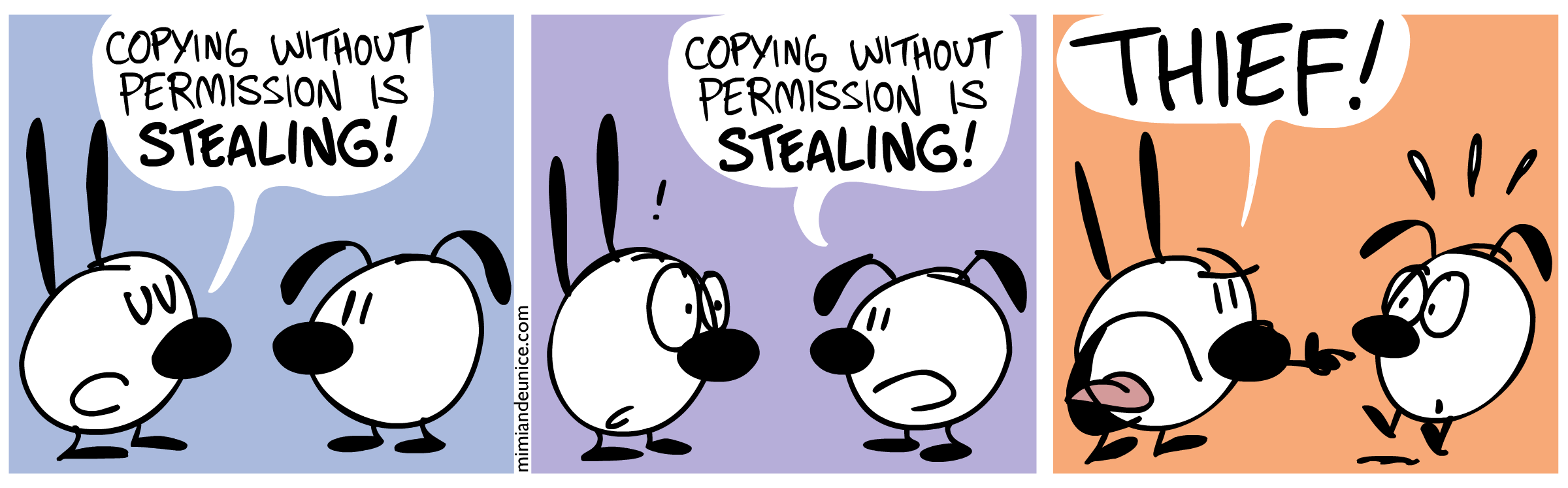
Next, Alice in WonderTech discusses creating an environment that discourages plagiarism.  She makes some good points about how getting students started in class lessens the probability that they will try and take the cheating shortcut of copy and paste (not always though).  I found with the 11th-grade research project that I had less plagiarism this time around where we did most of the work in class.

https://upload.wikimedia.org/wikipedia/commons/a/a8/What_if_I_ask_for_help.JPG


Over at a Meaningful Mess, Andi McNair was talking about the question of "What If?"  As educators, particularly at the beginning of a school year, we often as ourselves that question, but in the negative:  What if I do it wrong?  What if the students make things difficult? 

Well, what if we flipped the script and focused on the positive side of "what if?":  What if I do it right?  What if the students make it the best year?


Tired of standarized style of assessments?  Take a look at John Spencers Ten Alternative Assessments.  It's a pretty straightforward list and won't take you long to check out.